Uninstall Cordatus Client
If you want to uninstall the Cordatus Client from your device, you can simply run the command below in the terminal:
sudo dpkg -r cordatus
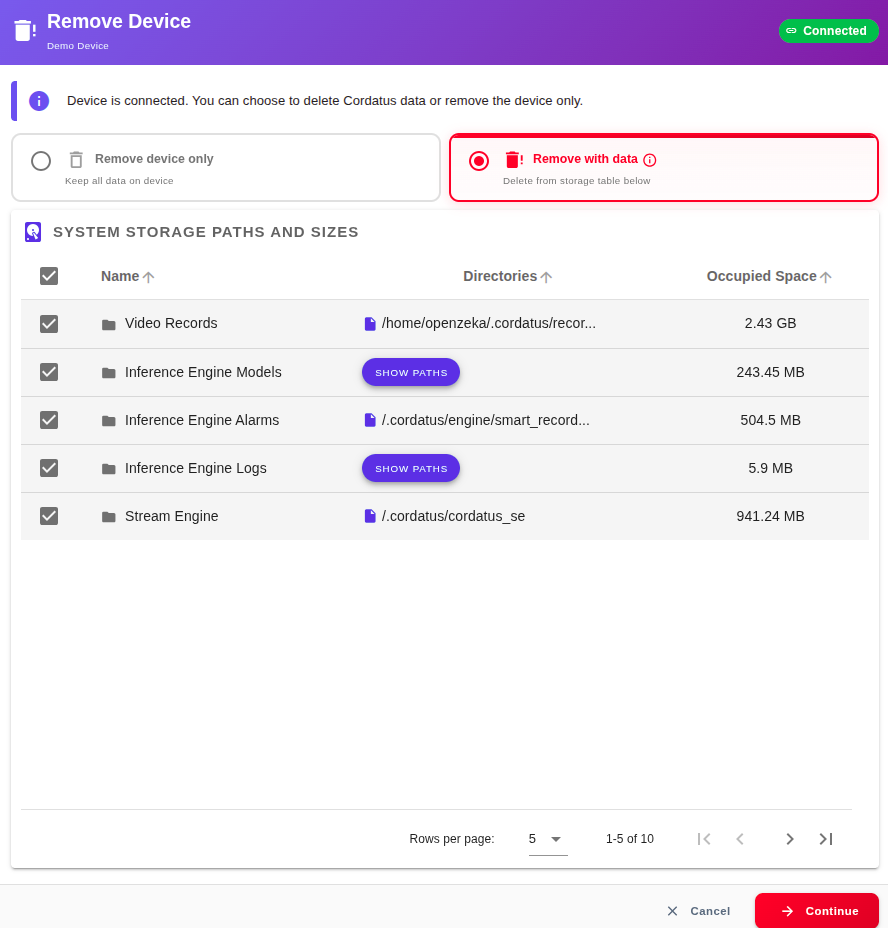
Alternatively, you can remove the Cordatus Client from your device while you are removing your device from your account. In the Remove Device dialog, choose Remove with data instead of Remove device only at the Choose type step, then click Continue. The Confirm step lists the Cordatus data on the device — including Cordatus Client — with the space each item occupies. You can also select other items in the list to remove from your device. Refer to Removing a Device section to see detailed information about removing a device from your account.
If you remove the Cordatus Client using the terminal, you need to manually delete related content such as images or models. Therefore, if you want to remove Cordatus and all related content, it is better to do it through the web application.