How to Activate License
Activating Your License Key
You have received a license activation code (e.g. ABCD-1234-EFGH-5678). Follow the steps below to apply it to your Cordatus account. Each license key is unique and tied to a specific device or user. The activation process takes only a few seconds and takes effect immediately after confirmation.
Step 1 — Go to My Licences
Log in to your Cordatus account and click on your Profile avatar in the top-right corner of the dashboard. From the dropdown menu, select My Licences. This page lists all license keys currently associated with your account, along with their status, assigned device, and expiry dates.
Step 2 — Click "Activate License"
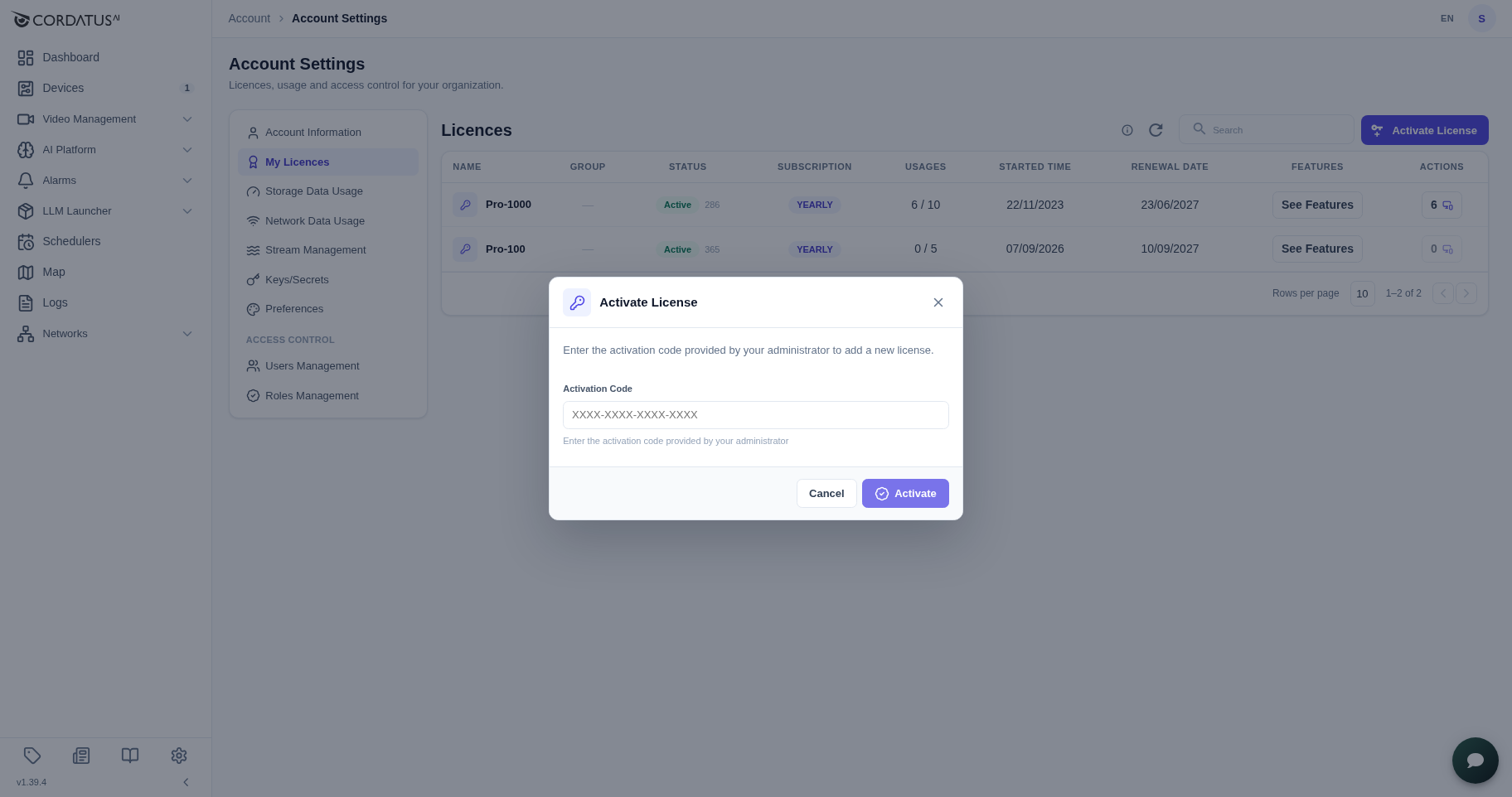
On the My Licences page, locate the Activate License button in the top-right corner of the panel and click it. This button is always visible regardless of whether you already have active licenses. Clicking it opens the activation dialog where you can enter your new code.
Step 3 — Enter Your Activation Code
A dialog box will appear. Carefully type or paste your activation code into the input field. Make sure there are no extra spaces or missing characters — the code is case-insensitive but must match exactly. Once entered, click the Activate button to proceed. The system will validate the code in real time.
Step 4 — Done
Your new license will appear immediately in the list on the My Licences page. The entry will display the license type, the device it is assigned to, and the expiry date. No restart or re-login is required — the license becomes active as soon as it is added to your account.
Something went wrong?
If you see an error message during activation, refer to the table below for guidance. Most issues are caused by typos in the code or using an account that does not match the license recipient.
| Message | Solution |
|---|---|
| "Invalid activation code" | Double-check the code in your email. Ensure no characters are missing and there are no leading/trailing spaces. |
| "This activation code has already been used" | The code has already been redeemed on another account. Contact support if you believe this is a mistake. |
| "This activation code has expired" | The code's redemption window has passed. Reach out to support to request a new code or an extension. |
| "This activation code is restricted to a specific user" | Sign in with the exact email address that received the activation code and try again. |