Camera Map
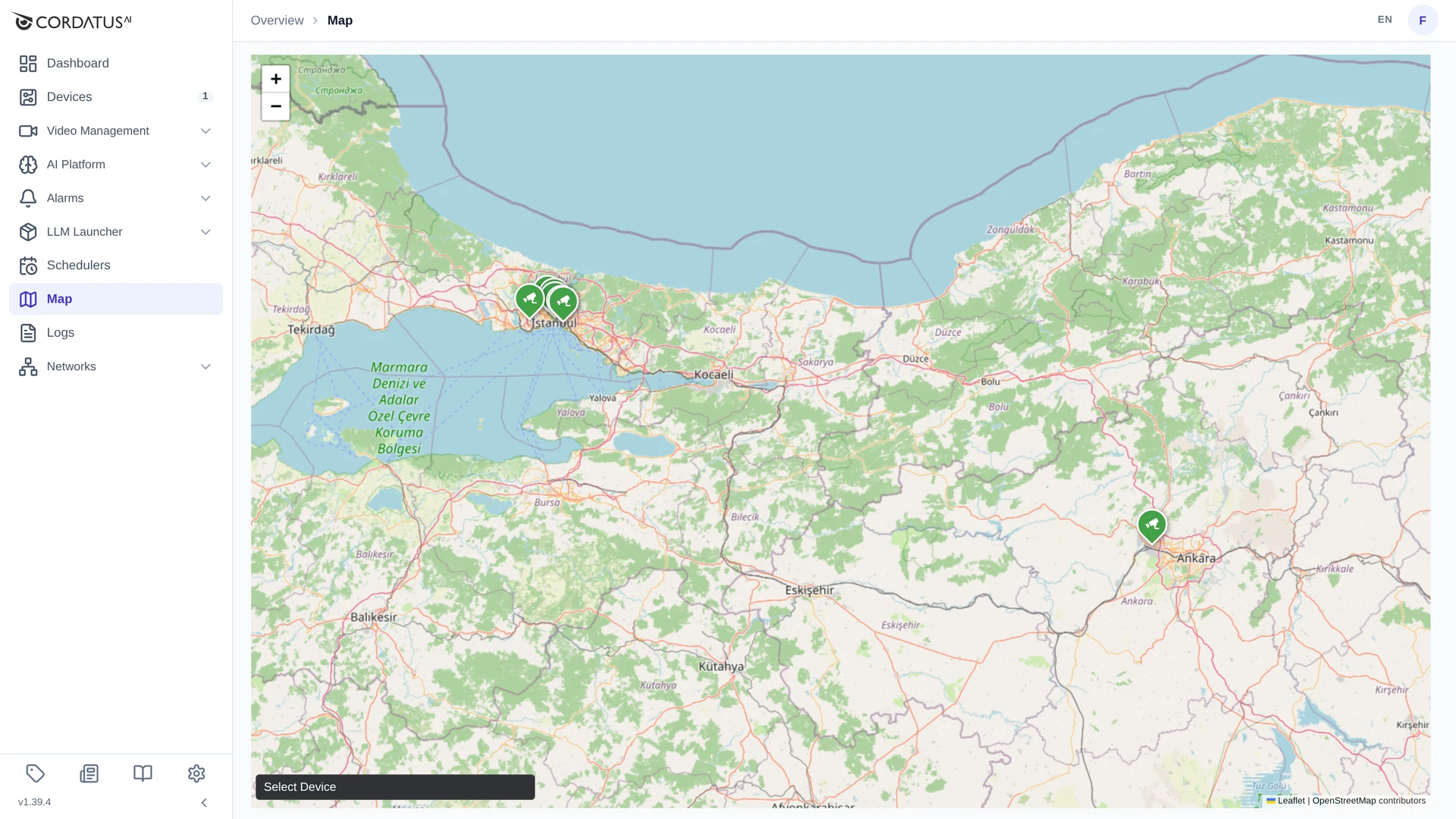
The Map page places your devices and cameras on a real map, so a large estate can be understood at a glance — and so an operator can open the camera that covers a place simply by clicking where that place is.
Putting a Camera on the Map
A camera's location is set when the camera is added:
- Open Video Management → Cameras and click New Camera.
- Fill in the camera as usual, then open Advanced Settings.
- Tick Add Location.
- Find the place — type it in Search for a place…, or pan and zoom — and click on the map to drop the pin. The coordinates appear in the bottom-left corner.
- Save the camera.
See Connecting Cameras for the full window.
The location is stored with the camera when it is created. To move a camera to a different place, remove it and add it again with the new coordinates.
Devices are placed on the map from the device pages — see Device Map.
Reading the Map
- Camera markers carry a camera icon; device markers carry a device icon.
- Markers that sit close together merge while you are zoomed out and separate again as you zoom in.
- Use the + / − buttons, the mouse wheel or dragging to move around.
- The map opens at a zoom level that shows all your markers at once.
Opening a Camera from the Map
- Click the marker of the camera you want to watch.
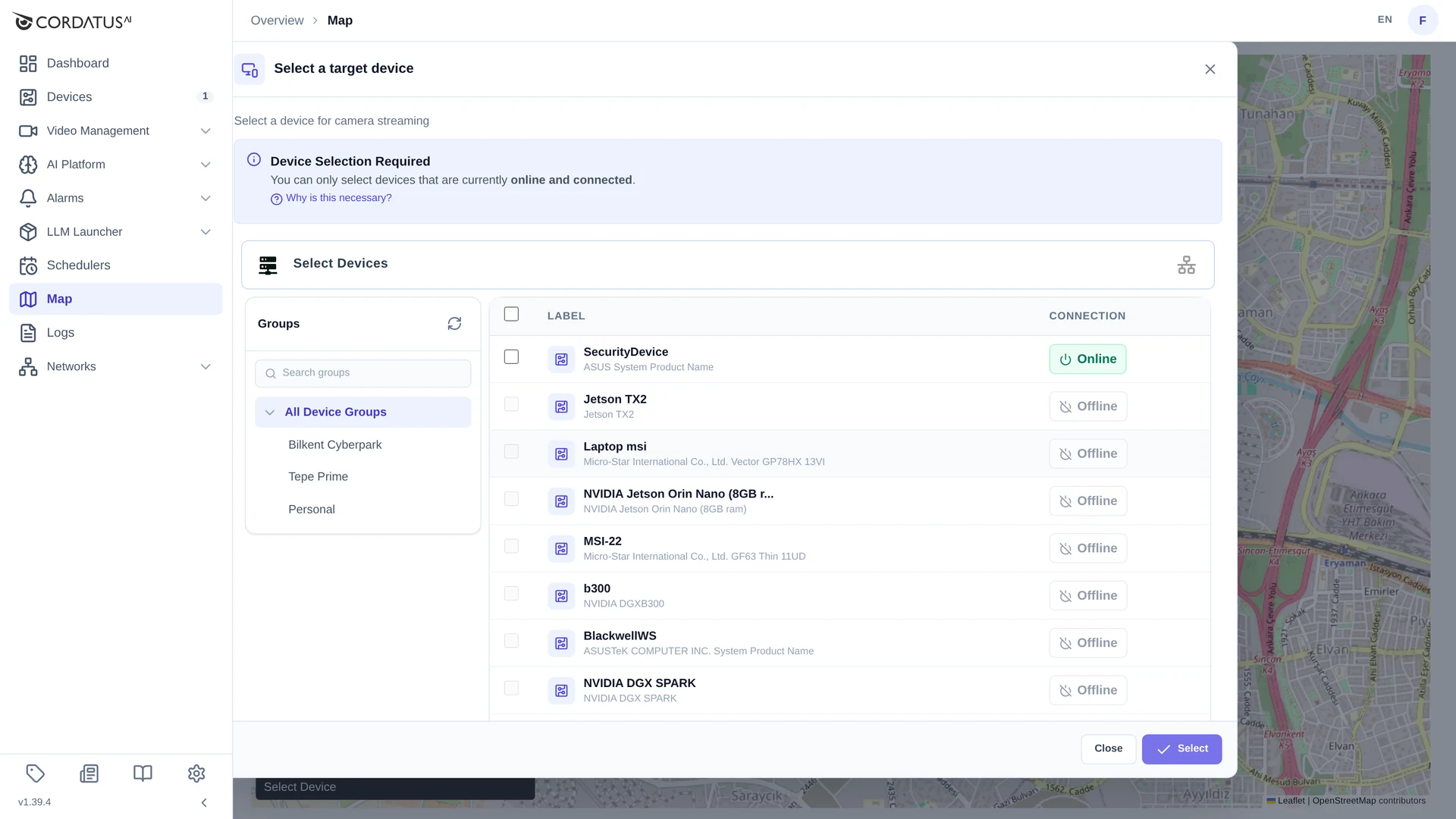
- The Select a target device window appears — this is the same step as on the Cameras page, because the stream still has to be decoded by one of your devices.
- Tick an online device and click Select.
The stream opens in a small player over the map, which you can move around, enlarge or close.
The Select Device control at the bottom of the map filters the map to a single device — useful when several sites overlap in the same area.
Tips
- Give cameras their real-world names (Main Gate – North, Loading Dock 2); the map is only as useful as the labels on it.
- Add locations while adding cameras — going back later means removing and re-adding them.
- For a site with many cameras, zoom in before clicking: markers that overlap at a low zoom level are easy to mis-click.